Flowers in My Neighbourhood
Back in July 2023, I welcomed Chunky, a lively 3-month-old Lhasa Poo, into my life. I had wanted a dog for a while, so when a neighbor had a litter of pups, I couldn’t resist adopting one.

I expected this would bring a number of changes to my daily routine, but I guess I underestimated how important going on walks would be. By the time he was around 6 months old, it became clear that if we didn’t go for at least one walk a day, I was in for an evening of lots of misbehaviour from Chunky, ranging from chewing slippers to stealing my dad’s socks. I recall at one point thinking to myself “wow, this feels like a lot. You mean have to go on a walk every single day? For the rest of his life???”
However, what started out as a seemingly tall order of a responsibility quickly became a cherished part of my day. The walks with Chunky have become a perfect escape from work stress, too much screen time (I leave my phone at home as much as possible on walks), and the constant buzz of daily life. For at least an hour every day, it’s just me, Chunky, and the “great outdoors”. The latter of which I soon realized is a lot more beautiful and interesting when you slow down enough to pay attention to it.
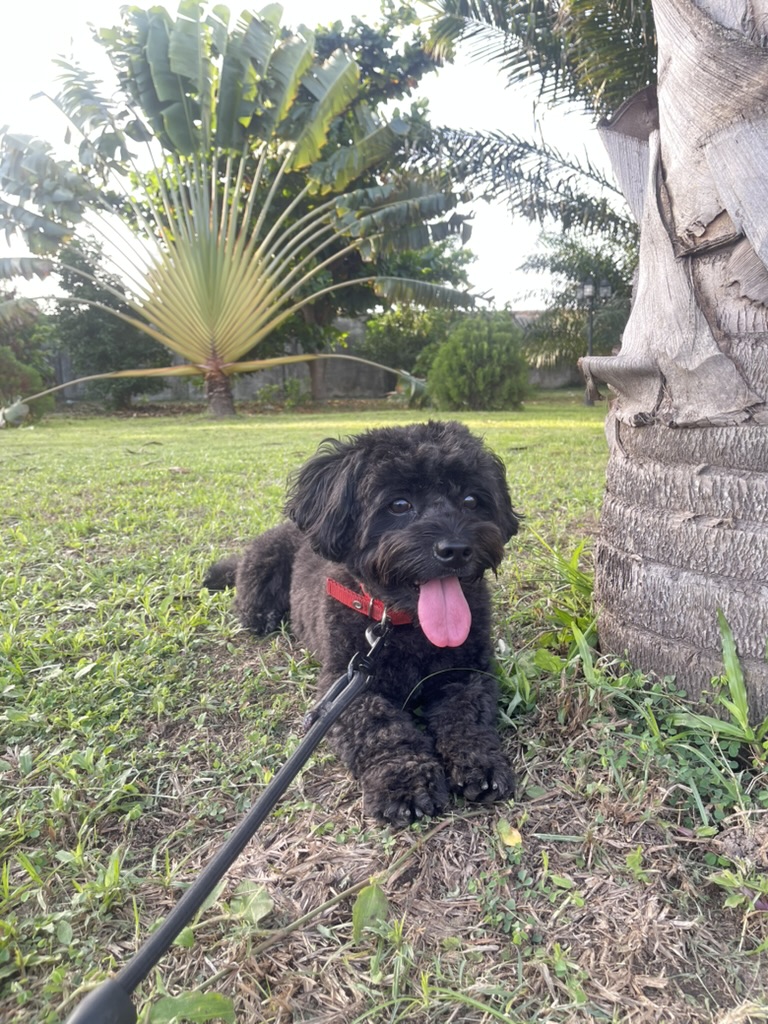
As Chunky and I explored our neighborhood, I began to notice the the trees, plants, and flowers in my neighbourhood a lot more. I’d pause and look at a tree, and think about how long it had been growing. Or notice all the different types of shrubs and plants people had in their houses. I even stopped and smelled some flowers a few times (which, considering I’m often plagued by hay fever, was a dumb idea).
One day, Chunky and I were out as usual, and I spotted a flower I had never noticed it before. I thought it was really pretty, and realized that I really knew nothing about all the foliage around me. I took out my phone, snapped a picture, and used the ChatGPT app to find out what it was. Within seconds, I learned they were the flowers of the Delonix regia, commonly known as “Royal Poinciana” (among other names). That moment got me thinking—why not make more of my walks, and actually start learning about all the different flowers in the neighbourhood? Taking pictures and uploading them to the ChatGPT app wasn’t too much work, but I thought it would be a good opportunity to automate the process and document my findings along the way so I could refer to them later.
So, I decided to use some of my favorite tools: Are.na, Pipedream, and OpenAI’s APIs. The plan was simple:
- Create a channel on Are.na to upload flower photos to,
- Use Pipedream to periodically fetch those photos and send them to OpenAI for identification,
- Update the photo’s block on Are.na with all the info for later
Building the Workflow #
Step 1: Setting Up Are.na #
First, I created a new channel on Are.na called “Flowers in My Neighborhood.” Now, whenever I take a picture of a flower, I just upload it to this channel.
Step 2: Automating with Pipedream #
Next up was Pipedream. I needed something to automatically fetch the new images from Are.na and send them to OpenAI. Pipedream’s Cron Scheduler Workflow was perfect for this. Since I usually take my walks around 6 PM, I set the cron job to run at daily at 8 PM. By then, I should have uploaded any new flower photos.

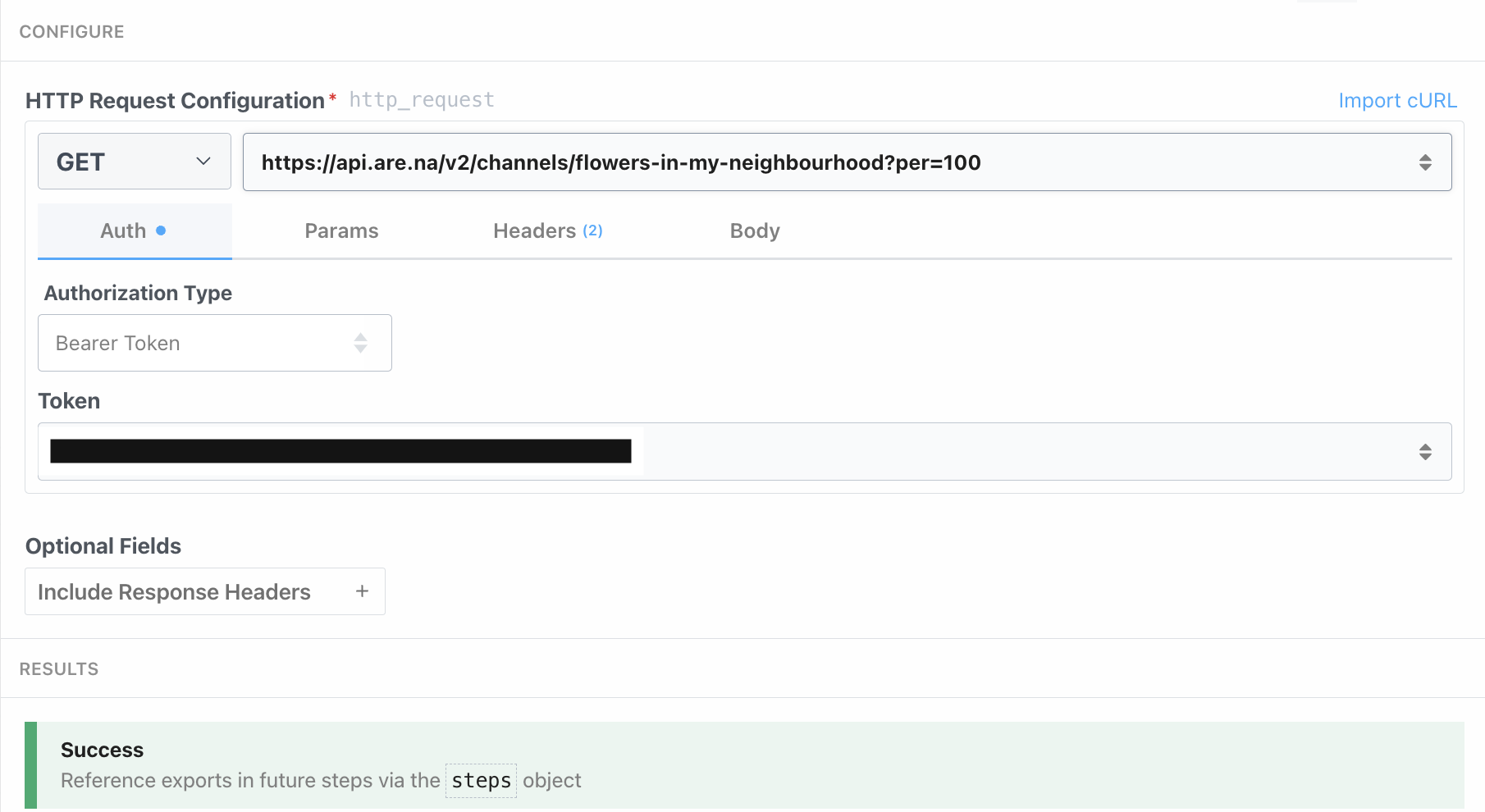
The next step of the workflow fetches the latest images from my Are.na channel. I set a simple HTTP request step that fetches blocks from the channel. To ensure I get as many results as possible in a call, I set the number of items to return to 100.
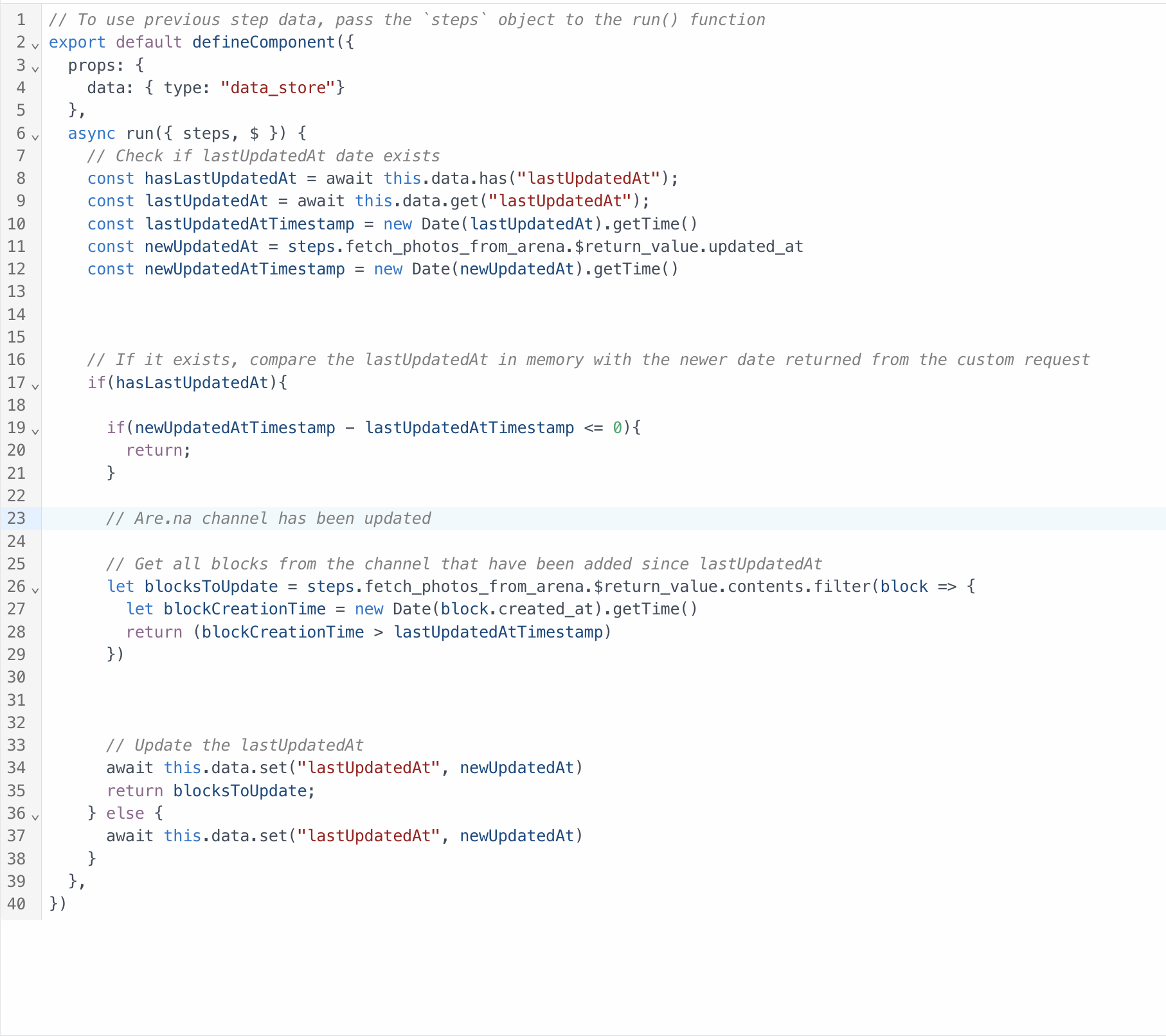
To make sure I wouldn’t end up sending the same images to OpenAI to process every time the workflow ran, I used a data store on Pipedream to keep track of the last time I fetched images. This way, I could filter out images that have already been processed, before running the OpenAI step.
Step 3: Integrating OpenAI for Image Analysis #
Once I had the new images, the next step was to identify the flowers using the OpenAI API. Pipedream has ready-made actions for OpenAI, so I simply they’re set up for one request at a time. Since I often find multiple flowers on a single walk, I needed a way to loop through each image and process them individually.
I added another Node.js code step to handle this. It loops through each new image and sends it to OpenAI’s GPT-4-mini model, which can handle multimedia input. My goal was to get the common name, scientific name, and some fun facts about each flower—like where it originates from and any interesting uses it might have.
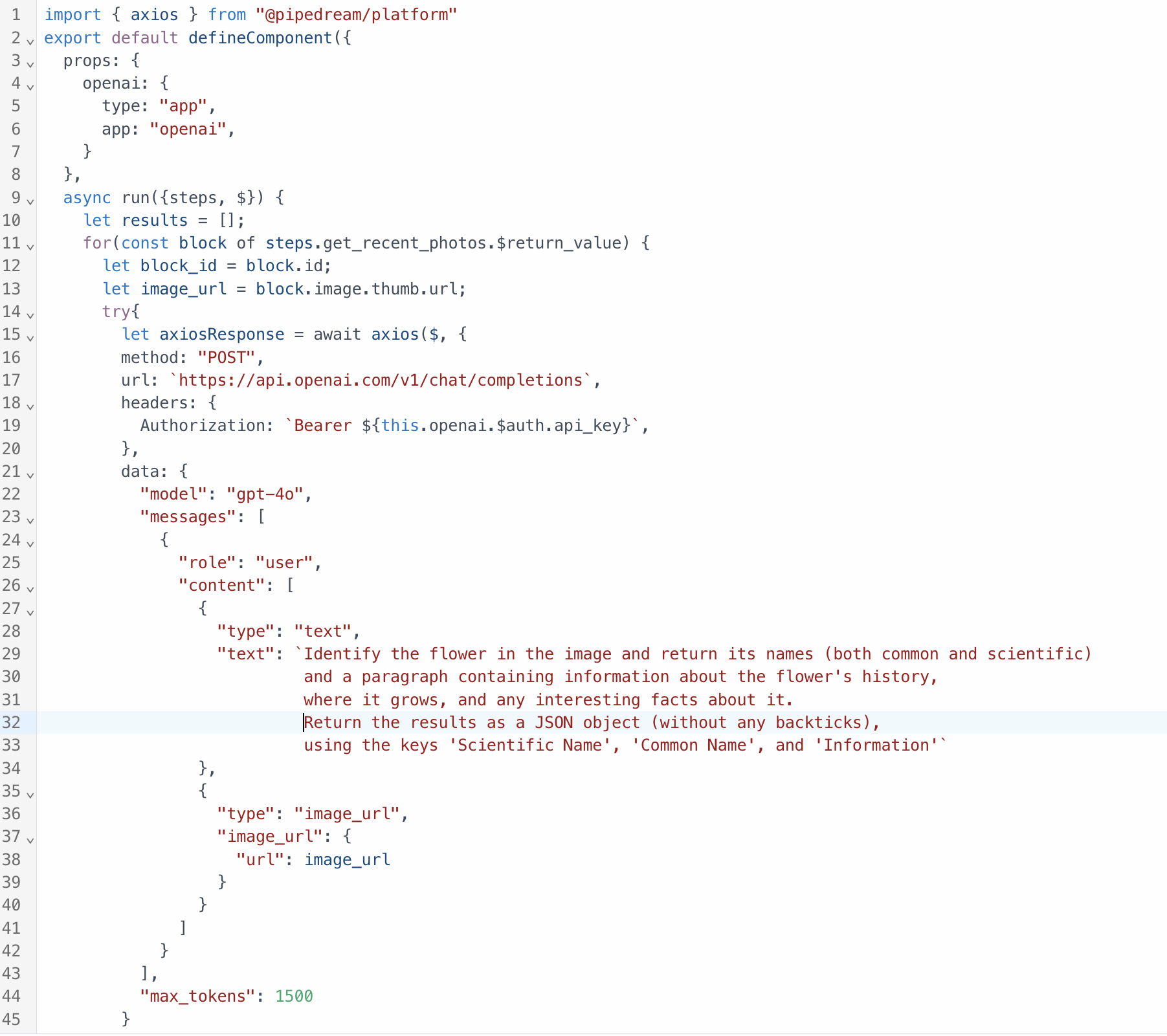
Here’s the prompt I used: “Identify the flower in the image and return its names (both common and scientific) and a paragraph containing information about the flower’s history, where it grows, and any interesting facts about it. Return the results as a JSON object, using the keys ‘Scientific Name’, ‘Common Name’, and ‘Information’”
Step 4: Testing the Workflow #
With everything set up, it was time to test it out. On our next walk, Chunky and I took a new route hoping to spot some new flowers. Sure enough, we found a few unfamiliar blooms. By the next morning, the workflow had processed the images, and I had all the details about the flowers we saw. It was awesome to see technology enhancing my appreciation for the nature around me.
This little project was a fun way for me to use tech to help me appreciate the beauty of nature around me. I’ve now catalogued pretty much every flower in my estate, and learned a lot about the migration of species of flora and fauna along the way (colonizers love carrying seeds around apparently).
Moving forward, I’m eager to explore more ideas that use technology to bring me closer to the natural world, rather than pull me away from it.